

Introduction
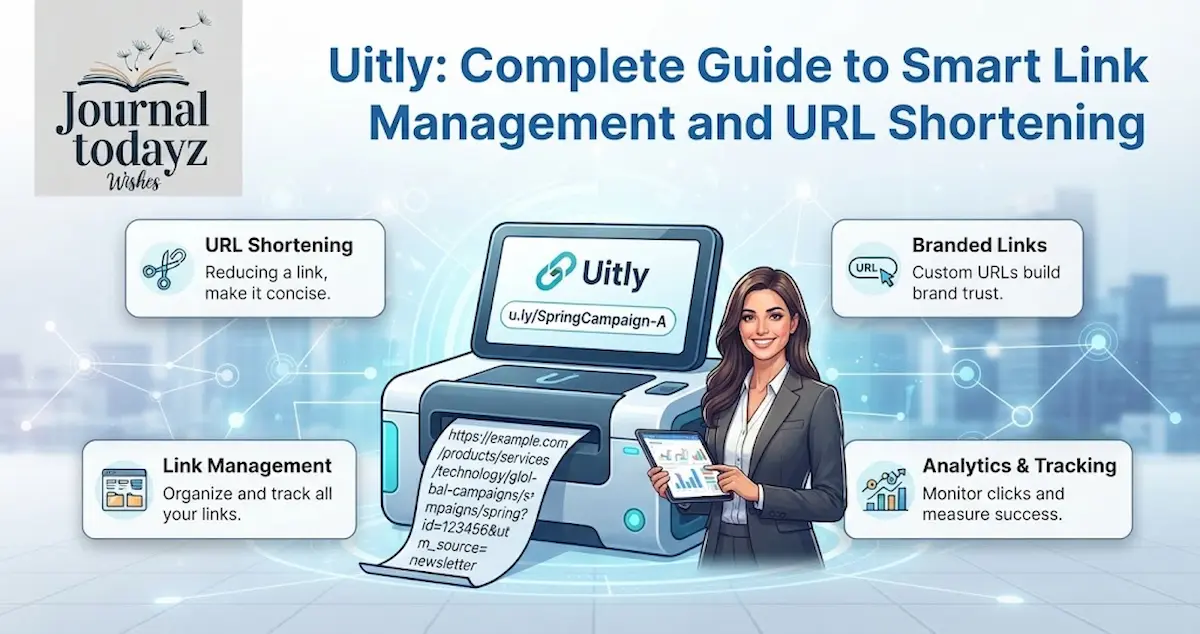
Uitly is a smart link management and URL shortening tool designed to make long, complicated links easier to share, track, and manage. With Uitly, users can transform lengthy URLs into clean, memorable links that look better across websites, social media, emails, and digital campaigns. Beyond basic shortening, Uitly can help organize links and make sharing more convenient for creators, marketers, businesses, and everyday users.
Whether you want to simplify a URL, improve link presentation, or manage multiple links efficiently, Uitly offers a practical approach to modern link management. In this complete guide, we’ll explore how Uitly works, its key features, benefits, use cases, and important tips for getting the most value from smart URL shortening and organized link management.
What Is Uitly and How Does It Transform Your Link Strategy?
Uitly is a comprehensive link management platform designed to simplify how you create, share, and track URLs across all digital channels. Unlike basic URL shorteners that only reduce link length, Uitly functions as a complete ecosystem combining short URL creation, QR code generation, bio page building, and advanced click tracking analytics into one intuitive dashboard.
The platform addresses a critical problem faced by digital professionals today. When you share long, complicated URLs on social media, email campaigns, or text messages, they appear unprofessional and clutter your message. Uitly eliminates this friction by converting even the longest web addresses into clean, memorable short links that look polished across any platform.
What sets Uitly apart in the crowded URL shortening tool market is its multi-functional approach. Rather than forcing you to juggle three or four different services, Uitly consolidates everything you need for effective link sharing and campaign management into a single platform. This integrated approach saves time and creates a unified command center for all your digital link needs.
Understanding URL Shortening: The Foundation of Smart Link Management
Before diving deeper into Uitly’s capabilities, it’s essential to understand what makes link shortening technology so valuable in modern digital marketing.
A URL shortener functions as a specialized web tool that transforms lengthy web addresses into compact, shareable links. When someone clicks your short link, their browser follows a redirect path (typically a 301 redirect) that seamlessly takes them to your original destination. This entire process happens in milliseconds, creating a smooth user experience without any visible delay.
The magic of short URL generators extends beyond mere character reduction. Modern platforms like Uitly add layers of functionality that make short links powerful marketing tools. They enable you to track every click, understand where your traffic comes from, measure engagement in real-time, and optimize your campaigns based on concrete performance data.
Here’s why short links matter more than ever in 2026:
- Social Media Compliance: Platforms like Instagram, TikTok, and Twitter limit profile links to a single destination. Uitly’s bio page builder solves this by consolidating multiple links behind one shareable address.
- Professional Appearance: Long URLs filled with parameters and tracking codes appear suspicious to users. Short, branded links build trust and confidence in your audience.
- Message Efficiency: Whether you’re sending SMS, email, or WhatsApp messages, character count matters. Shorter links mean more room for your actual message content.
- Campaign Tracking: Every short link becomes a trackable asset. You gain insights into which links perform best, who’s clicking them, and when they’re most effective.
- Branded Communication: Custom branded domains allow you to reinforce your brand identity with every link you share.
Core Features of Uitly: Everything You Need for Effective Link Management
Uitly delivers a robust set of features designed to meet the needs of solo creators and enterprise teams alike.
URL Shortening: Your Foundation for Clean Link Sharing
The core feature of Uitly is its intuitive URL shortening tool. The process is remarkably straightforward. You paste a long URL into Uitly’s field, and within seconds you receive a clean, short link ready to share anywhere. But the real power lies in the customization options.
With Uitly, you’re not stuck with random character combinations like “uitly.link/abc123def”. Instead, you can create custom aliases that actually mean something. Imagine sharing “uitly.link/bloglaunch” instead of a generic shortened URL. This custom link feature transforms your shortened links into marketing assets that reinforce your brand and clearly communicate what users will find when they click.
The customization process requires no technical skills. Simply enter your desired alias during the shortening process, and Uitly checks availability instantly. If your preferred name is taken, the platform suggests alternatives, ensuring you always find a memorable option.
Dynamic QR Codes: Bridging Physical and Digital Worlds
QR code generation has evolved from a novelty feature to an essential marketing tool. Uitly’s dynamic QR codes represent a significant advancement over static versions. Unlike static QR codes printed on business cards or flyers that point to a fixed destination, dynamic QR codes allow you to change where they redirect without reprinting.
This flexibility transforms how you run campaigns. Launch a print campaign with a QR code on Wednesday, but discover halfway through the week that you want to point traffic to a different landing page? No problem. With Uitly’s dynamic QR codes, you simply update the destination, and every existing QR code automatically points to the new URL.
Uitly’s customizable QR codes go even further. You can:
- Add your brand logo to the center of the code
- Apply custom color schemes matching your brand identity
- Add decorative frames and visual elements
- Download in multiple formats (PNG, SVG, PDF)
- Track QR code scans in real-time
- Access geographic and temporal scan data
This customization ensures your QR codes remain on-brand while maintaining full scanning functionality across all devices.
Bio Pages: Create Your Ultimate Link Hub
For creators and businesses limited to a single profile link on social platforms, Uitly’s bio page builder is transformative. A bio page (also called a link hub or link in bio page) consolidates multiple destinations into a single, attractive landing page.
Whether you’re an influencer directing followers to different social platforms, a small business promoting various products, or a creator linking to your latest content across platforms, bio pages solve the single-link limitation problem.
Uitly’s bio pages are fully mobile-optimized, ensuring they display beautifully on smartphones where most of your audience will access them. The builder requires no coding skills. You simply add links, arrange them in your preferred order, customize the design to match your brand, and publish instantly.
Common use cases for bio pages include:
- Influencers and Creators: Link to YouTube channel, TikTok, Instagram, podcast, and affiliate products from one Instagram bio
- Service Providers: Direct clients to booking pages, service descriptions, testimonials, and contact options
- E-commerce: Showcase product categories, seasonal promotions, customer reviews, and checkout pages
- Content Platforms: Link to blog posts, videos, podcasts, and downloadable resources
Analytics and Click Tracking: Understanding Your Audience Through Data
Raw traffic numbers tell only part of the story. Uitly’s click tracking analytics provide comprehensive insights into how people interact with your links.
When you create a link with Uitly, every click generates trackable data. The platform captures:
| Metric | What It Shows You |
| Total Clicks | Overall link performance and reach |
| Geographic Data | Countries and regions driving traffic |
| Device Type | Desktop, mobile, or tablet traffic breakdown |
| Traffic Source | Referrers like social media, email, or direct visits |
| Time-Based Analytics | When links receive the most clicks |
| QR Code Scans | Separate tracking for QR code engagements |
| Bio Page Views | Traffic to your link hub pages |
This data becomes your strategic advantage. You can identify which content resonates most with your audience, optimize the timing of your link shares, understand which platforms drive the most valuable traffic, and refine your marketing strategy based on concrete evidence.
For digital marketers, this means measuring campaign effectiveness with precision. For content creators, it means understanding which pieces of content generate the most interest. For small business owners, it means seeing which products or services attract the most clicks.
Branded Domains: Reinforce Your Brand Identity
While Uitly’s default domain works perfectly well, many businesses want to use their own custom branded domains. This feature transforms a generic short link into a branded communication tool.
Imagine creating links like “promo.yourcompany.com/sale” instead of relying on Uitly’s domain. Every link becomes an opportunity to reinforce your brand. Your audience sees your domain multiple times throughout their customer journey, strengthening brand recognition and recall.
Setting up branded domains is straightforward. You point your domain’s DNS records to Uitly, and the platform handles the technical details. Within minutes, every short link you create uses your custom domain, giving your communication professional polish that generic domains cannot match.
Security and Trust: Building Confidence in Your Links
In an era of increased phishing awareness and link skepticism, security matters deeply. Uitly addresses these concerns with multiple protective features.
The platform uses HTTPS encryption by default, ensuring every short link redirects securely. Users see a padlock icon in their browser, indicating a safe, trusted connection. This encryption protects both your link data and your audience’s browsing activity.
For sensitive communications, Uitly offers password protection for individual links. You can restrict access to specific short links, allowing only authorized users to reach the destination. This feature proves invaluable when sharing confidential documents, private sales pages, or exclusive content with select audiences.
The platform’s commitment to safety extends to regular security audits and maintaining high uptime standards. Uitly’s infrastructure reliably handles millions of redirects daily with minimal downtime, ensuring your links work consistently when your audience needs them.
Step-by-Step Guide: Creating Your First Uitly Short Link
Getting started with Uitly requires just four simple steps:
Step 1: Access the Platform
Navigate to Uitly’s website and locate the URL shortening field on the homepage. You don’t need to create an account to shorten your first link.
Step 2: Paste Your Long URL
Copy and paste your target URL into the input field. The interface clearly shows where your URL goes, making it impossible to make a mistake.
Step 3: Customize Your Link (Optional)
Scroll down to see customization options. Here you can create a memorable custom alias, add password protection if needed, and choose other preferences. This step is completely optional. If you skip customization, Uitly automatically generates a random short code.
Step 4: Generate and Share
Click the prominent “Shorten URL” button. Within moments, your short link appears, ready to copy and share. You can also generate a QR code for the same URL instantly from the same screen.
For power users, creating an account unlocks additional capabilities like link management dashboards, detailed analytics access, custom domain setup, and team collaboration features.
Real-World Applications: How Different Professionals Use Uitly
Content Creators and Influencers
An Instagram influencer with 50,000 followers faces the limitation of sharing only one link in their bio. With Uitly’s bio page feature, they create one link that directs followers to their YouTube channel, TikTok profile, podcast, affiliate recommendations, and course. One link manages multiple destinations, solving the platform’s technical limitation while maintaining a clean aesthetic.
Small Business Owners
A local restaurant shares its menu PDF, reservation system, and delivery platform links in social media posts. Rather than forcing followers to guess which link is which, they use Uitly to create branded short links for each destination. The business can track which link drives the most traffic, helping them understand customer preferences and optimize their promotional efforts accordingly.
Email Marketers
A marketing team running newsletter campaigns uses Uitly’s click tracking to measure engagement. Each link in their email includes a custom alias like “newsletter/offer-november” that identifies which content pieces drive clicks. The team monitors geographic data to understand which regions respond best to different messages, enabling hyper-targeted follow-up campaigns.
Content Marketers
A blog publishing company shares dozens of articles daily across social platforms. Uitly’s analytics show them which topics generate the most engagement, which platforms drive the most traffic, and what times of day produce the best results. This data directly informs their content strategy and editorial calendar.
Uitly vs. Competitors: How It Stacks Up
The URL shortening market includes several notable players. Understanding how Uitly compares helps you determine if it’s the right fit for your needs.
| Feature | Uitly | Bitly | Rebrandly | TinyURL |
| Free URL Shortening | Yes | Limited (10/month) | No | Yes |
| Custom Aliases | Yes | Yes (paid plans) | Yes | No |
| QR Code Generation | Yes | Yes (limited) | No | No |
| Bio Pages | Yes | Yes | No | No |
| Advanced Analytics | Yes | Yes | Limited free tier | No |
| Custom Branded Domains | Yes | Yes | Yes | No |
| Password Protection | Yes | No | No | No |
| API Access | Yes | Yes | Yes | No |
| Team Collaboration | Yes | Yes | Yes | No |
| Dynamic QR Codes | Yes | Yes | Yes | No |
This comparison reveals that Uitly offers a comprehensive feature set comparable to enterprise platforms while maintaining accessibility for individual users and small businesses.
Best Practices: Maximizing Your Uitly Experience
Understanding features is one thing; using them strategically is another.
Create Meaningful Aliases
Rather than accepting random character combinations, invest time in creating descriptive aliases. Instead of “uitly.link/abc123”, use “uitly.link/black-friday-sale”. Your audience understands what they’ll find, and your analytics become more intuitive when reviewing performance data.
Monitor Analytics Regularly
Set a weekly habit of reviewing your link performance data. Which links drive the most clicks? What geographic regions show the strongest engagement? When do your links see peak traffic? This intelligence guides your content strategy, posting schedule, and promotional priorities.
Leverage Branded Domains Early
If you represent a business or significant personal brand, establish a custom branded domain with Uitly as soon as possible. Consistency matters in branding, and using your domain across all communications builds recognition over time.
Test Your Links Across Devices
Before sharing links widely, test them on desktop and mobile devices. Ensure they redirect properly, load quickly, and present the expected content. This quality assurance process catches problems before they impact your audience.
Use QR Codes Strategically
Don’t add QR codes to every link. Use them where scanning makes sense: printed materials, offline locations, physical products, or event promotions. Overusing QR codes dilutes their effectiveness.
Organize Campaigns Thoughtfully
If creating multiple links for a single campaign, use consistent naming conventions. This approach makes analytics review intuitive and helps you quickly identify campaign performance.
Addressing Common Concerns About Short Links
Are Short Links Safe?
Short links carry deserved skepticism due to phishing risks. However, Uitly uses reputable technology and security practices. To stay safe, only click short links from trusted sources, preview links when possible, and use protective browser tools that scan for malicious destinations.
Can Short Links Hurt SEO?
Short links use 301 redirects, which preserve most of your SEO value when used appropriately. They don’t negatively impact your search rankings when you follow best practices. However, never use short links as your primary SEO strategy for important content.
What Happens if a Shortener Shuts Down?
This legitimate concern affects any platform. If Uitly were to close, existing short links would break. To mitigate this risk, maintain relationships with your original, unshortened URLs. Use short links primarily for temporary campaigns rather than permanent web properties.
The Future of Link Management in Digital Marketing
As digital marketing continues evolving, the importance of intelligent link management grows. Every click represents a touchpoint with your audience. Platforms like Uitly that combine creation, customization, tracking, and analytics transform how modern professionals approach link management.
The most successful marketers recognize that links aren’t mere navigational tools. They’re marketing assets deserving of strategic attention, thoughtful customization, and regular performance analysis. Uitly empowers this strategic approach by consolidating link management into one unified platform.
Getting Started:
Whether you’re a solo creator managing social media presence, a small business owner coordinating marketing efforts, or a marketing professional optimizing campaign performance, Uitly offers immediate value.
Start with these three immediate actions:
- Visit Uitly and create three short links for your most important destinations
- Explore the QR code feature by generating a code for one of your shortened links
- Review your analytics after sharing links to see which ones drive engagement
These initial steps reveal how Uitly’s features apply to your specific needs, whether that’s simplifying social media sharing, improving brand professionalism, or gaining actionable audience insights.
Conclusion: Transform How You Share Links
Long URLs clutter your messages and dilute your brand identity. Uitly eliminates this friction by providing professional URL shortening combined with powerful tracking, customization, and brand-building features. In a digital landscape where every impression counts, choosing the right link management platform directly impacts your success.
Uitly serves everyone from individual creators sharing content online to established businesses managing complex marketing campaigns. Its combination of ease of use, comprehensive features, and thoughtful design makes it an accessible yet powerful choice for anyone serious about optimizing their digital communication.Start creating smarter short links today and watch your engagement metrics improve.
Please visit our Home Page …….
FAQ: Everything You Need to Know About Uitly
What is Uitly?
Uitly is a comprehensive link management platform that shortens URLs, generates dynamic QR codes, builds bio pages, and tracks click analytics in one unified dashboard.
Is Uitly free?
Yes, Uitly offers a free tier for basic link shortening and QR code generation, with optional paid plans for advanced features and custom domains.
How do I create a custom alias on Uitly?
When shortening a URL, simply enter your desired custom alias in the available field. Uitly checks availability instantly and suggests alternatives if your choice is taken.
Can I track clicks on my Uitly links?
Absolutely. Uitly provides detailed analytics showing total clicks, geographic data, device type, traffic source, and temporal patterns for each link.
Are Uitly short links secure?
Yes. Uitly uses HTTPS encryption, regular security audits, and optional password protection to keep your links and audience safe.
How do dynamic QR codes differ from static QR codes?
Dynamic QR codes allow you to change destinations without reprinting physical materials, while static QR codes permanently encode one URL.
Can I use my own domain with Uitly?
Yes. Uitly supports custom branded domains, allowing you to create links using your own domain name instead of Uitly’s default domain.
Does Uitly work with social media platforms?
Yes. Uitly’s bio page feature solves the single-link limitation on Instagram and other social platforms by consolidating multiple destinations.
What devices does Uitly support?
Uitly’s interface works on desktop, tablet, and mobile devices. Bio pages are fully mobile-optimized for optimal user experience.
Can I collaborate with my team using Uitly?
Yes. Uitly offers team collaboration features, allowing multiple users to create and manage links within shared workspaces.
Does Uitly offer an API?
Yes. Uitly provides API access for developers and teams needing to integrate link shortening into custom applications or workflows.
How quickly do short links redirect?
Uitly’s infrastructure handles redirects in milliseconds, ensuring instant redirection to your destination URLs across the globe.
